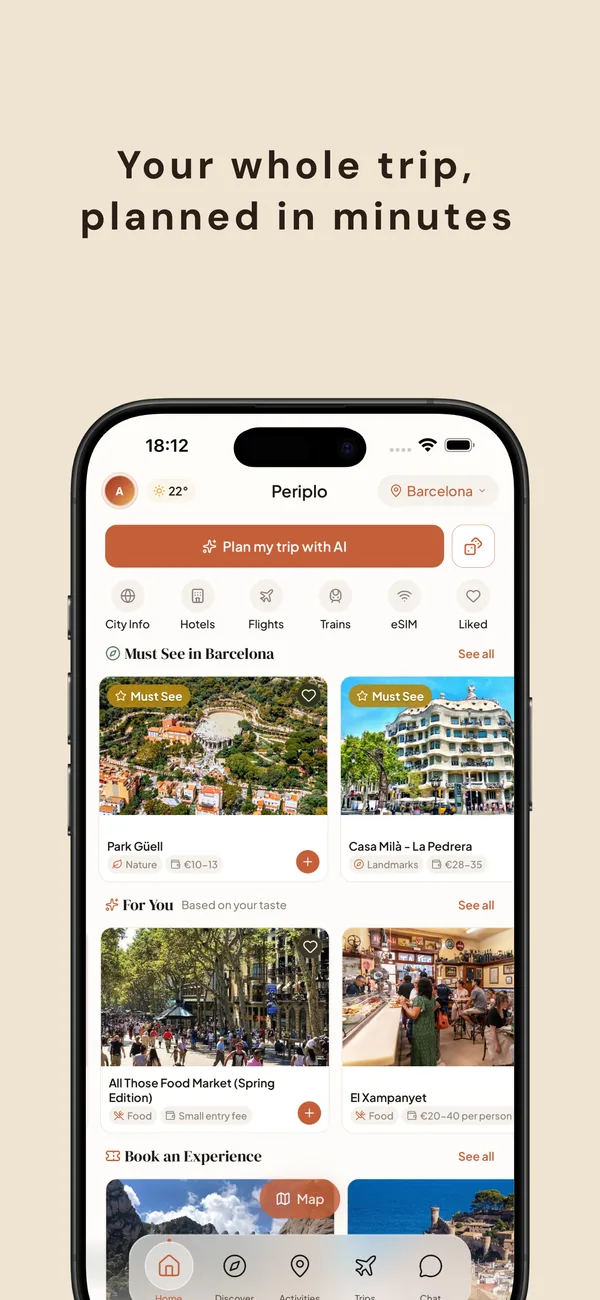
How it works
Three steps, a real trip.
No endless tabs. No spreadsheet. Tell Periplo what you want, review what it drafts, and go.
Tell it where and what.
Pick the city, your dates, a vibe (chill, foodie, culture, active, nightlife). A few taps.
AI drafts your days.
Hour-by-hour itinerary with activities, restaurants, and a walkable route. Every stop briefed.
Walk it, book it, share it.
Open it on the ground, book hotels and tickets inline, share with the people you're going with.
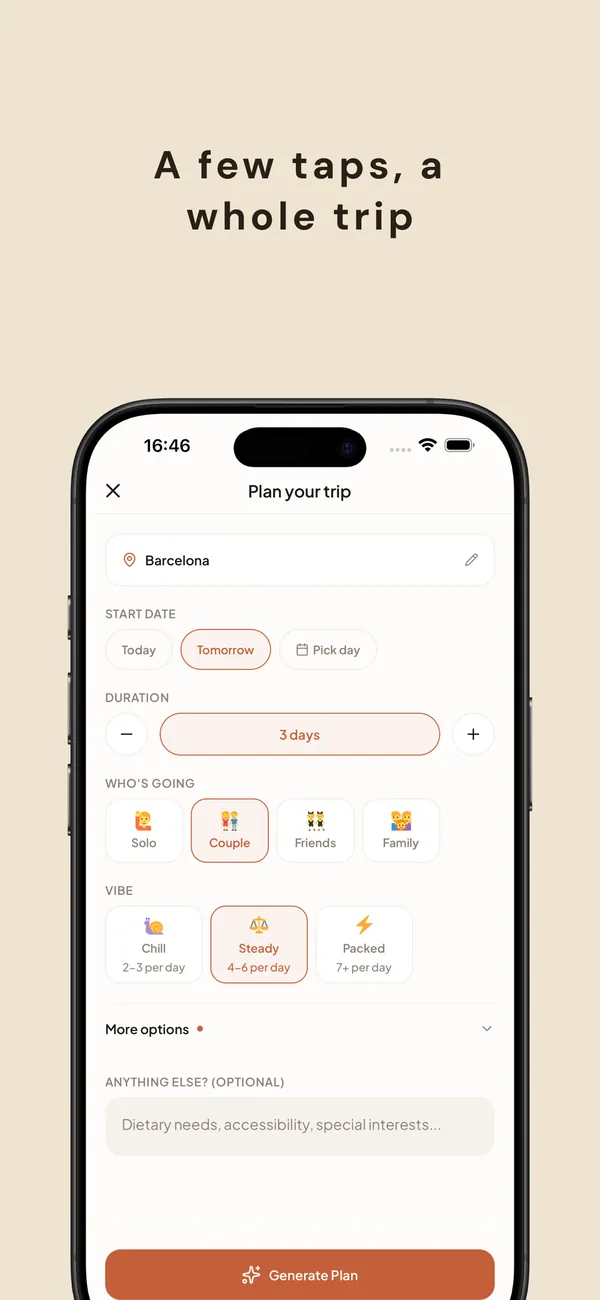
Planning
Plan by vibe, not by checklist.
Describe the trip you want — relaxed, foodie, active, cultural — and who's coming along. Periplo shapes pacing, neighborhood mix, and activity density to match. Nothing generic.
No sign-up wall, no survey fatigue. A few taps and you're planning.
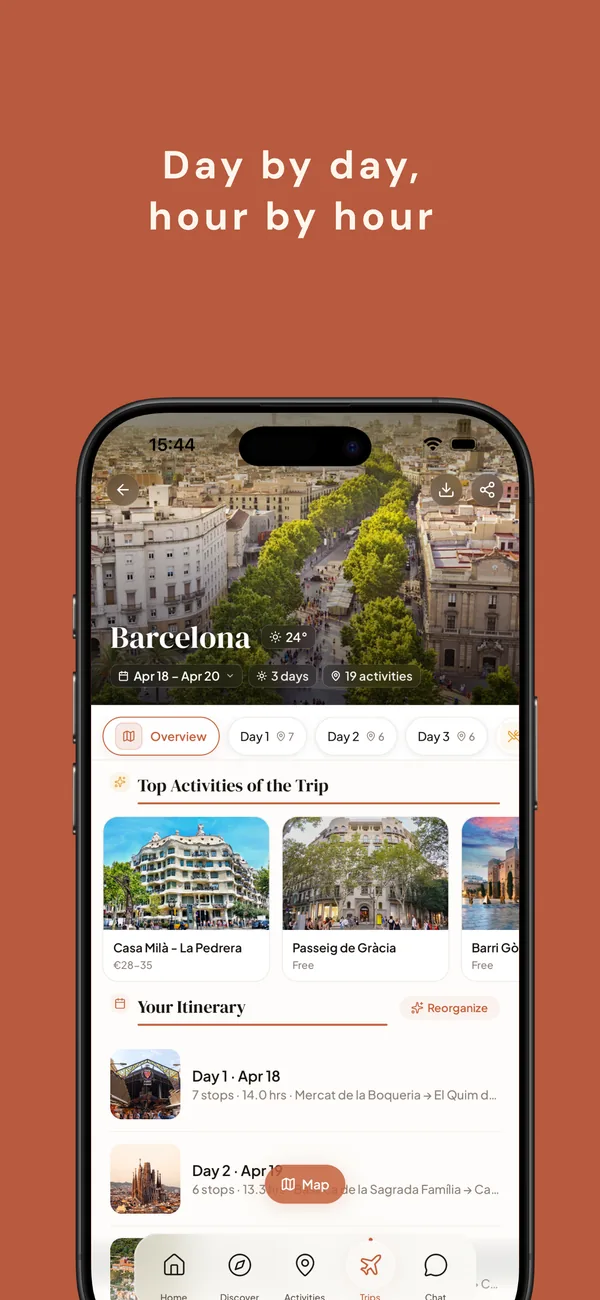
Itinerary
An itinerary, not a list.
Day by day, hour by hour. Landmarks, restaurants, and hidden spots blended with realistic pacing — so you're not sprinting between stops or killing time between reservations.
Reorganize a day, swap an activity, or regenerate just one block. The rest adjusts around it.
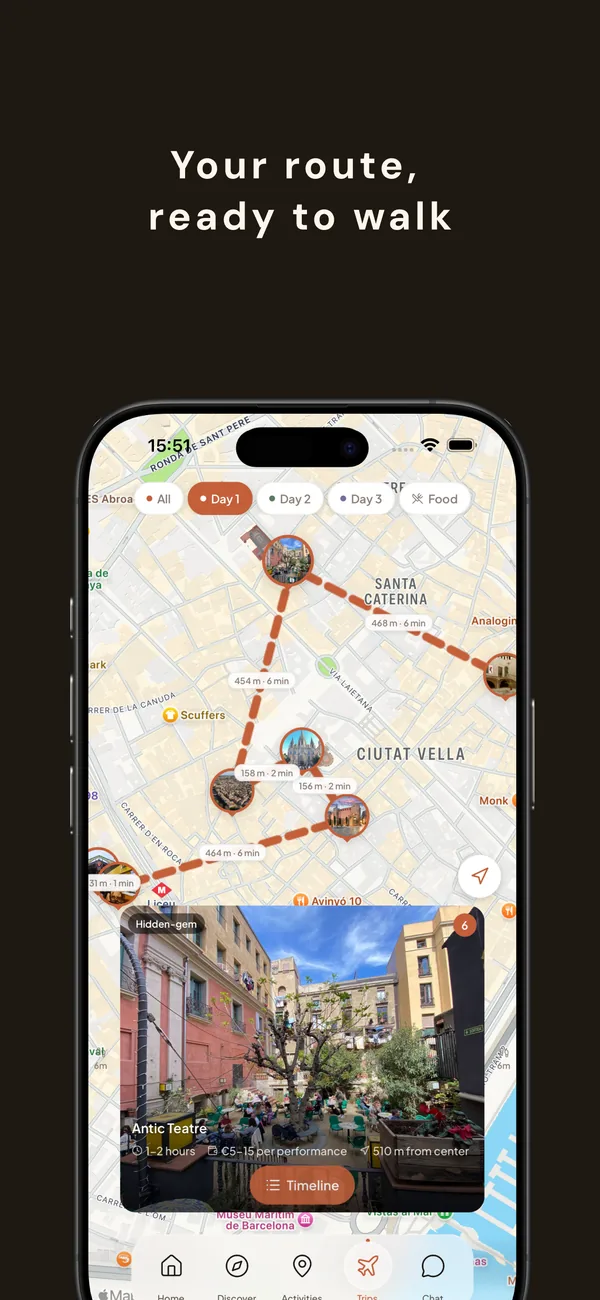
On the ground
Built for walking, not for tabs.
Every day gets a map with a clean route between stops. Neighborhoods stay grouped. Distances, opening windows, and travel times come built in — so the plan survives contact with the sidewalk.
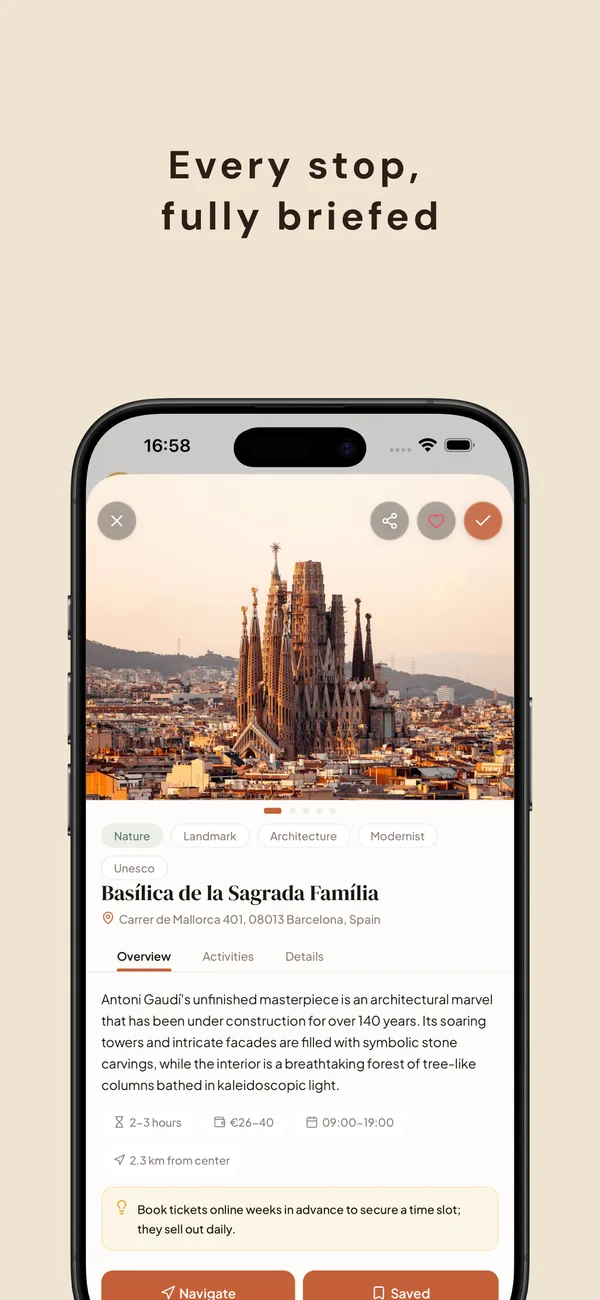
Context
Context for every pin.
Hours, price, typical duration, distance from your base, address, and a local tip. Not boilerplate — specific notes about when to go, what to skip, and what's easy to miss.
Everything else
More than just an itinerary.
Small features that make a trip actually feel planned, not just listed.
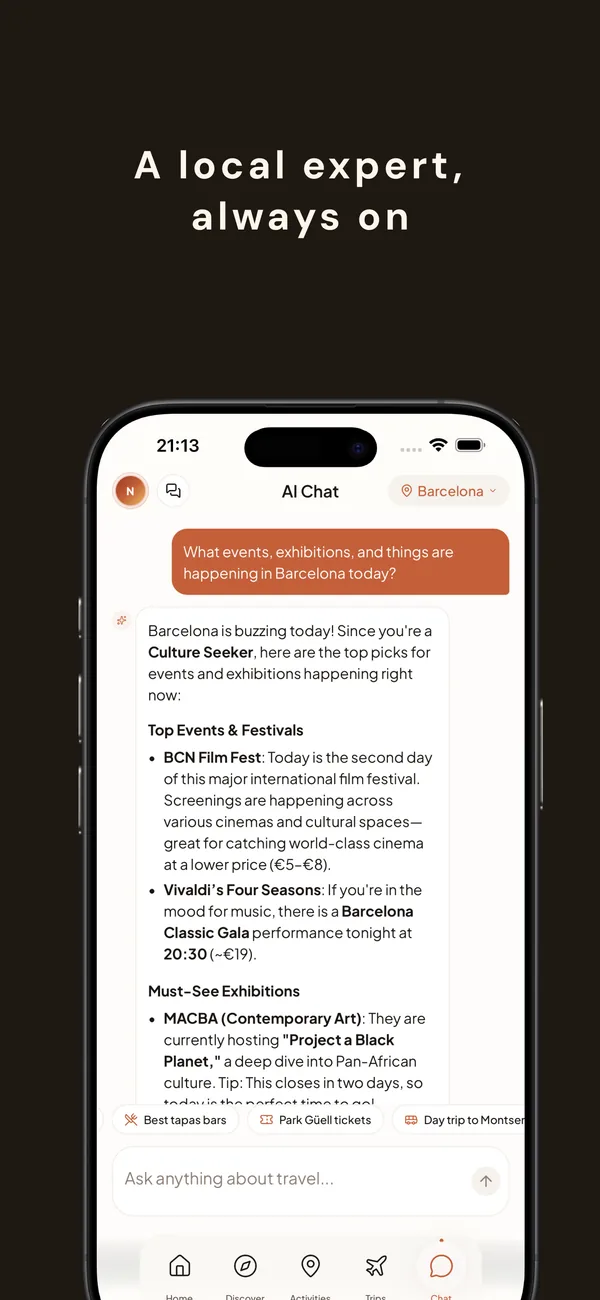
A local expert, always on.
Ask anything mid-trip — events tonight, a vegetarian lunch near you, what to do if it rains.
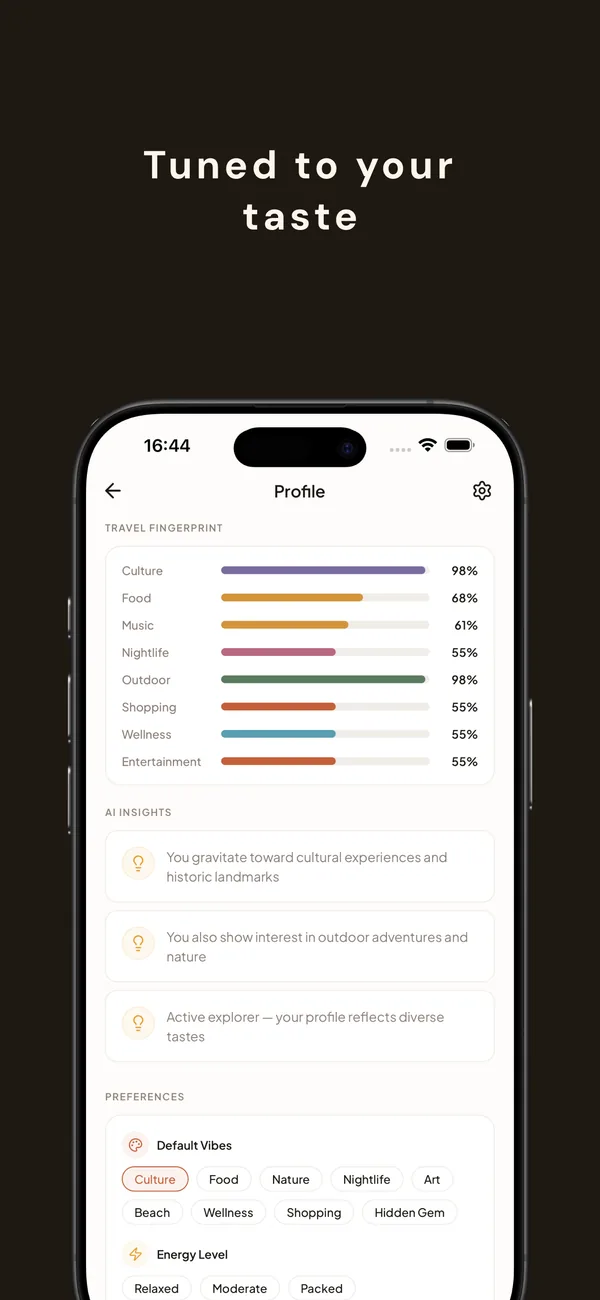
Tuned to your taste.
The more you use Periplo, the better it gets. A taste profile that shapes every future suggestion.
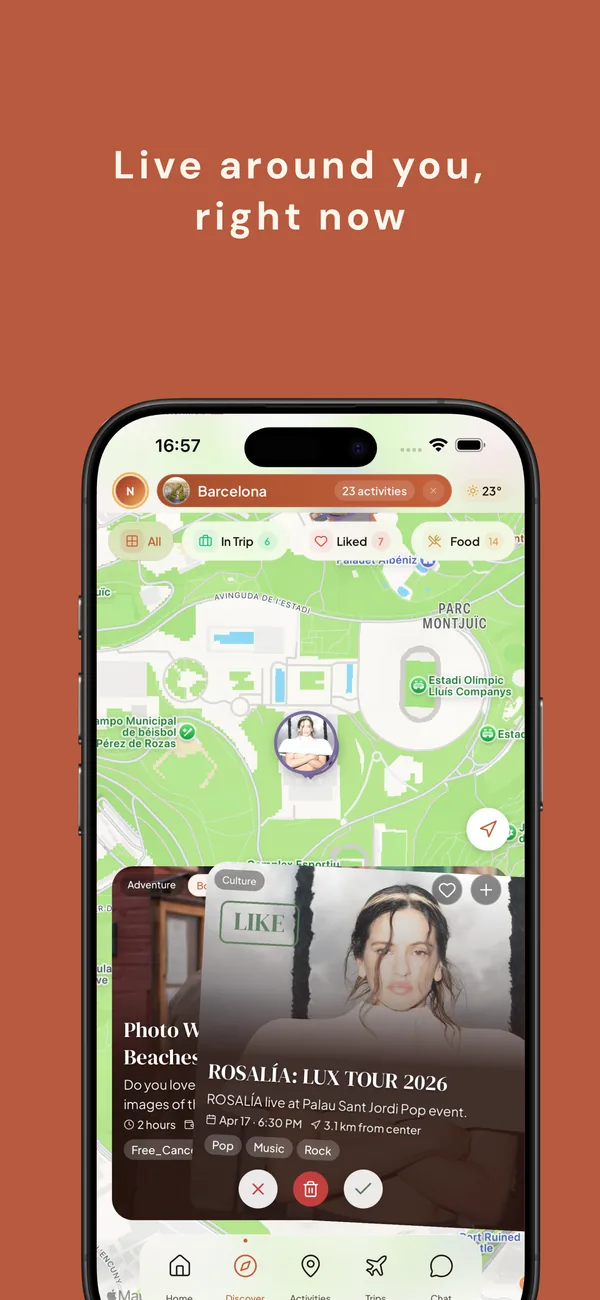
Live around you.
Concerts, exhibitions, pop-ups, food markets — what's actually happening where you are, right now.
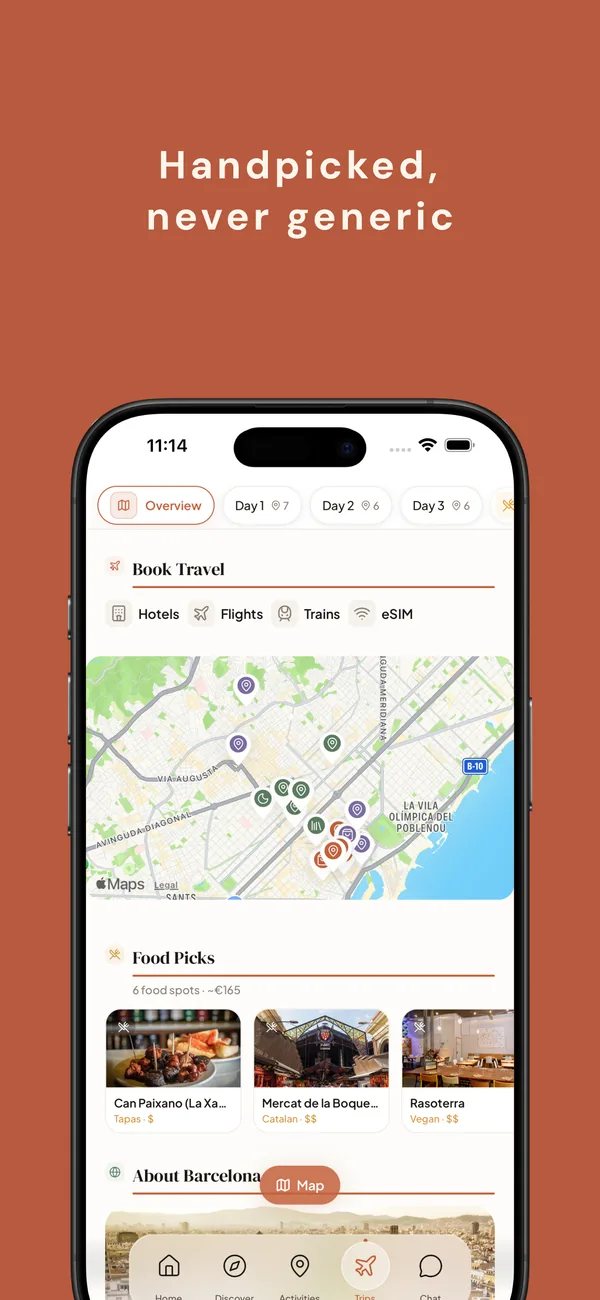
Handpicked, never generic.
Hotels, flights, trains, eSIM — book directly from the plan. No ten-tab shuffle.
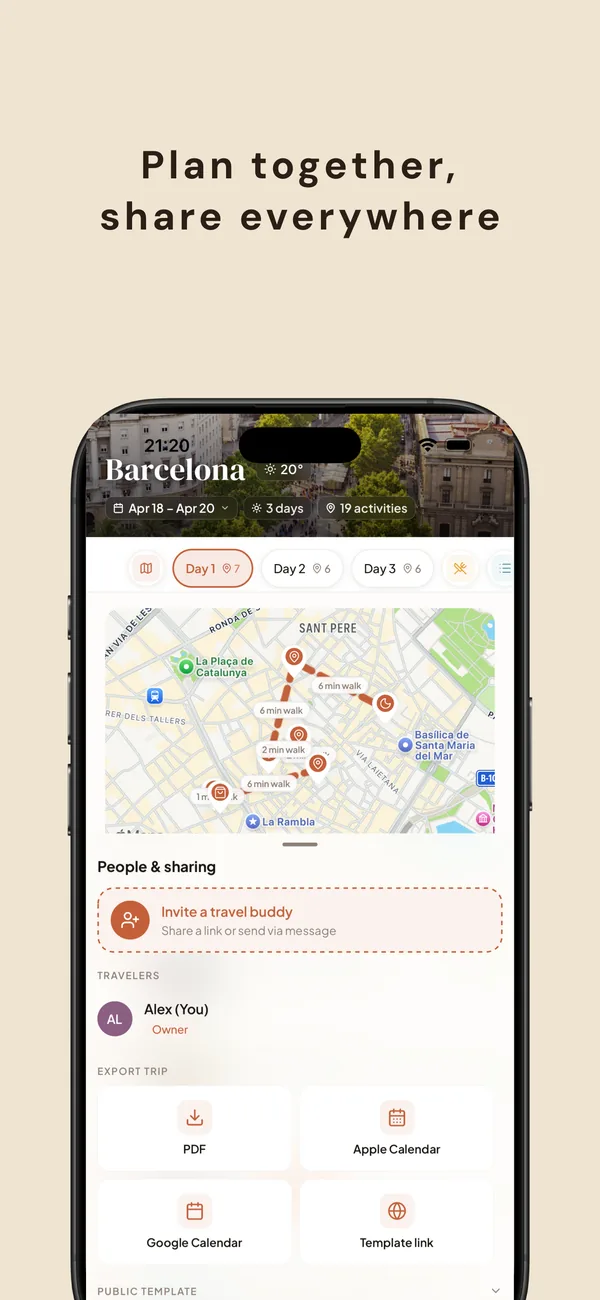
Share
Share the trip. Export the plan.
Invite the people you're going with — everyone edits the same itinerary. Or export to PDF, Apple / Google Calendar, or Notion, and share a public template link with anyone who asks.
Works offline once downloaded, so the day doesn't die in a spotty subway.

In ancient Greek, a periplus was a coastal voyage log — a record of ports, tides, and what to expect between them. Periplo picks up the same idea: a plan that sails with you.
Pricing
Free to try. Pro when you're planning more.
Every core feature works free. Upgrade to Pro when you're planning multiple trips a month.
Free
Free
No account needed.
- 3 trip-generation credits, 1 regenerates every 4 hours
- All of the AI itinerary, maps, chat, and booking
- Offline access for downloaded trips
- PDF, Calendar, and Notion exports
- Share via public template link
Pro
Periplo Pro
For travelers planning often.
- Unlimited trip generation
- Priority on new features
- No credit cooldown
- Cancel anytime in your App Store subscription settings
- $29.99 / year — ≈ 50% off monthly
FAQ
The short version.
Do I need an account?
No. Periplo works in guest mode — everything local on your device. Sign in later if you want to sync across devices or collaborate.
Which cities are supported?
Any city you can name. Periplo isn't a curated list — it plans trips to anywhere with enough information online. Tokyo, Lisbon, Oaxaca, or your neighbor over.
Will the itinerary actually be accurate?
AI-generated, so always confirm opening hours, ticket availability, and reservations before you go. Periplo links to booking sites for anything that matters, and tells you when tickets sell out fast. See our AI disclosure.
Can I use it offline?
Yes. Download a trip and the full itinerary — maps, activity details, restaurants — works without signal. Perfect for the subway and for places with spotty data.
How do I cancel Pro?
iPhone Settings → Apple ID → Subscriptions → Periplo → Cancel. You keep Pro until the end of the billing period. No refund questions, no friction.
Is my data sold or shared?
Never. No advertising identifiers, no cross-site tracking, no data sales. See the full privacy policy.
More questions? The help center has the longer list.
Your next trip is a few taps away.
Available on iPhone. Android coming soon.